

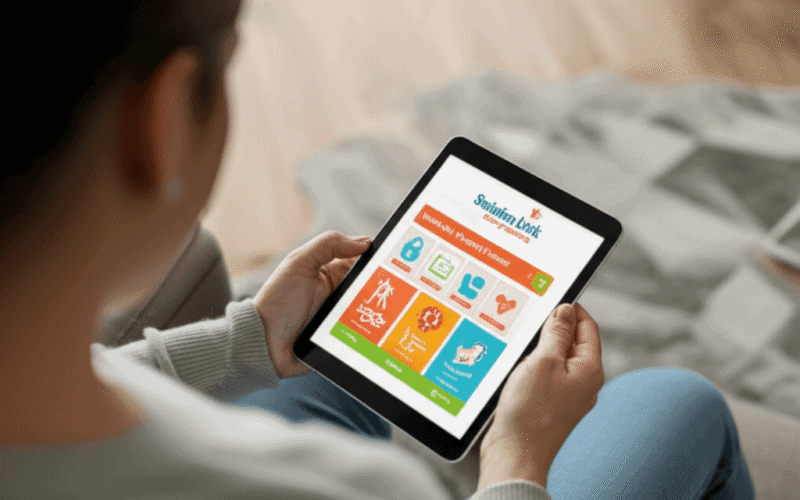
Local technology programs transform daily life for older adults like nothing else. In Swindon, community groups, volunteers, and charity workers team up to hook people up with gadgets that make chatting with friends, staying healthy, and handling everyday tasks a breeze. The Tech for the Elderly Swindon Link Charity Initiative proves how these tools actually change lives, giving anyone wanting to stay connected and independent a real boost. Imagine turning simple tech into a lifeline that keeps minds sharp and bodies moving. Stick around to find out how easy gadgets can unlock whole new worlds and bring fresh excitement to daily living.
The goal is practical and realistic. Instead of jargon or long lists of features, the initiative focuses on short hands on sessions, simple device setups and follow up help so new skills stick. Below you will find clear examples, tips for volunteers and family members, and guidance on how to get involved or support the program.
Why local tech programs matter to older adults in Swindon
Many older residents face barriers when it comes to using devices and online services. Some are worried about scams. Others have trouble with small text or unfamiliar menus. Local programs reduce those barriers by offering patient instruction and repeated practice with the same people. That builds trust and keeps people returning.
Practical benefits include easier contact with friends and family using video calls, faster access to medical advice online, and the convenience of ordering prescriptions or groceries from home. For those with mobility limits, a tablet or simple smartphone can restore a degree of independence and connection.
Overview of the Swindon Link initiative and its goals
The Swindon Link charity runs a community program that brings volunteers and older adults together in small group sessions and one to one meetings. The program is known locally for its friendly approach and for matching trainers with people who prefer a slow paced pace and lots of repetition.
For more information and to see session schedules you can visit the page about tech for seniors which lists current offerings and contact details. That page also explains how to request home visits when mobility or transport is a concern.
Core training topics and learning pathways
The initiative focuses on a small set of high value skills. Keeping the list short helps participants feel progress after a few short sessions. Typical topics include:
- Using a tablet or smartphone for video calls and messaging
- Setting up and managing email
- Online safety with simple rules to spot and avoid scams
- Accessing NHS and local council services online
- Basic online shopping and banking safety
Sessions are modular so learners can repeat a module until they feel comfortable before moving on. Each module has practical steps and short practice tasks to complete between meetings.
Step by step basics for absolute beginners
Start with power and volume buttons, then move to unlocking the device and recognizing the home screen. Next show how to open an app and how to return to the home screen. Use sticky labels if needed. Short tasks that can be completed in five to ten minutes help build confidence quickly.
Simple safety rules to apply every day
Teach three core checks to avoid scams. First do not open unexpected attachments. Second confirm requests for money or personal information by phone or in person. Third use strong passwords and enable two factor login for important accounts. Reinforce these rules with real world examples during sessions.
Practical setup tips for devices and connectivity
Choosing the right device and preparing it correctly is often more important than the brand name. For seniors, focus on screen size, weight and battery life. A mid sized tablet often delivers a good balance between readability and portability.
- Increase text size and contrast in accessibility settings
- Set up emergency contacts and clear labels for important apps
- Create a simple home screen with only the most used apps
- Link the device to the home Wi Fi with a written password card
For households with limited budgets, refurbished tablets from reputable sellers combined with an introductory lesson can provide the most impact for the least cost. Local libraries and charity shops sometimes run device donation schemes that pair well with training programs.
Measuring impact and success stories
Good programs track both numbers and personal stories. Attendance and repeat participation show sustained interest. Practical measures like the number of video calls made after training or the ability to order prescriptions online show real change.
Short surveys asking how comfortable someone feels with tasks before and after sessions help guide improvements. Anecdotes are powerful too. For example one participant in Swindon used video calls to reconnect with a grandchild abroad and another reported fewer missed medical appointments after learning how to arrange transport online.
How volunteers and family members can contribute
Volunteers make these sessions possible. Training for volunteers focuses on patient presentation, breaking tasks into tiny steps and carrying out repeat practice. Family members can support by practicing with the learner at home between sessions and by helping with setup and purchases.
- Volunteer role example one meeting a week offering two short sessions
- Use simple session plans that repeat the same steps from week to week
- Offer phone check ins between meetings for quick troubleshooting
Training volunteers to use plain language and avoid technical jargon makes a big difference. Small gestures like writing down step sequences in large print deliver immediate value.
Funding, partnerships and local collaboration
Community programs like this often rely on a mix of small grants, local business support and in kind donations. Swindon charities have partnered with libraries, health providers and civic groups to stretch limited funds and reach more people.
Partnerships with local clinics help with referral pathways when someone needs help with health related online services. Libraries often supply venues and loan devices for beginners. Local shops and community centres can provide modest sponsorship or refreshments for sessions which helps attendance.
Practical tips for running an effective session
Short sessions that repeat core steps are most effective. Aim for sessions that last 45 minutes with a break for questions. Use a paired model where one instructor demonstrates and one supervises practice. Keep the group to a small size to allow for individual questions and avoid overwhelming learners.
- Begin each session with a single clear objective
- Use large print handouts with step by step images
- Always end with a small task to complete at home
- Follow up by phone or email to build confidence
The Tech for the Elderly Swindon Link Charity Initiative shows how a local approach can make technology accessible and useful to older adults. By focusing on a few practical skills, offering repeat practice and creating a friendly environment, the program turns initial hesitation into usable daily habits. Volunteers, family members and local organisations all play a role and even small contributions can have a measurable effect.
If you would like to help, consider volunteering for a weekly session, donating a gently used tablet or offering a small grant to cover printed materials. If you are an older resident or supporting someone who could benefit, reach out to local community centres or the charity to find a near term session. Hands on practice with consistent follow up creates confidence and real independence in daily tasks. Join the effort in Swindon and help more people enjoy the social and practical benefits that simple technology can deliver.